
Download System Ninja – system optimization, computer cleanup, performance booster, disk space saver, PC maintenance
Overview
System Ninja is a productivity-focused application designed to enhance the performance and efficiency of Windows-based systems. Its primary purpose is to address common issues such as sluggish operation, excessive disk usage, and bloated startup processes. By targeting digital clutter and system inefficiencies, the app helps users reclaim lost speed and free up valuable hard drive space. It is particularly beneficial for individuals who rely on their computers for daily tasks, including remote work, content creation, and general browsing.
The application operates as a comprehensive system maintenance tool, combining cleaning, monitoring, and optimization features into a single interface. While the developer, System Ninja, did not provide additional background on their organization, the app’s structured approach suggests a focus on reliable, user-centric software development. Real-world use cases include improving boot times, eliminating temporary files, and managing resource-heavy processes that hinder performance.
Within the broader PC maintenance ecosystem, System Ninja fills a critical gap by offering a streamlined yet powerful alternative to generic cleanup utilities. Its emphasis on both speed and space optimization positions it as a practical tool for users seeking long-term system health without requiring advanced technical knowledge.
Key Features & Functionality
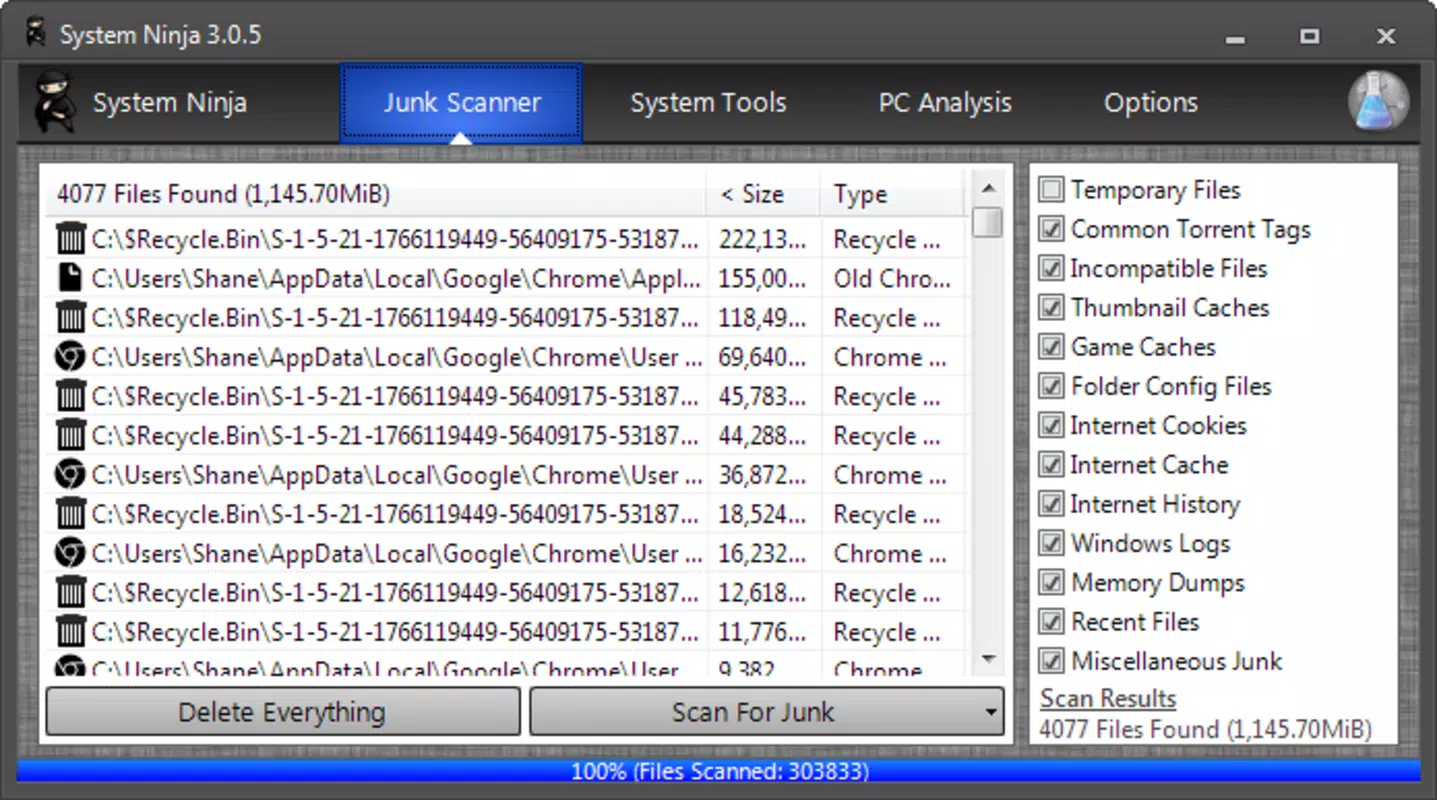
- Streamlined Cleaning Power: System Ninja targets temporary files, cache data, and orphaned downloads that accumulate over time. By removing these digital remnants, the app helps restore system responsiveness and frees up storage space.
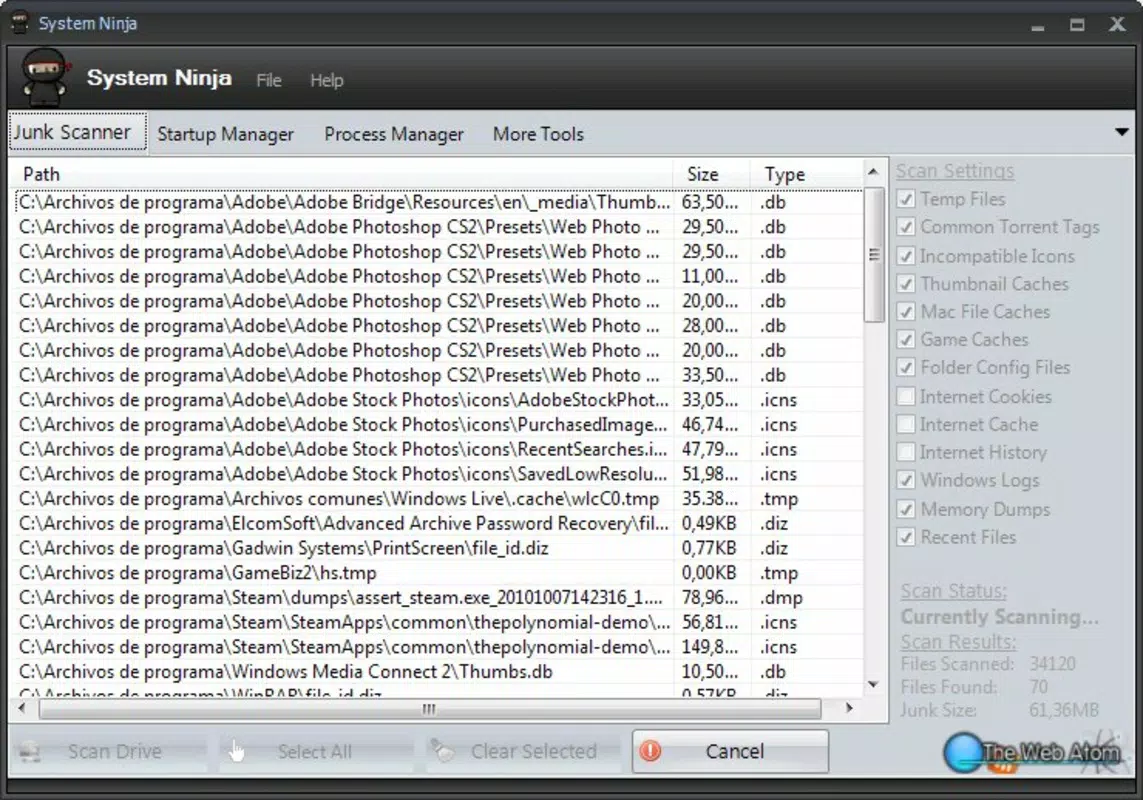
- Deep-Scan Efficiency: The application uses an advanced scanning engine to locate hidden and deeply nested files that standard cleaners often miss. This ensures a more thorough cleanup process while maintaining user control over deletions.
- File Scanner: This tool allows users to analyze stored files and identify duplicates, large files, or outdated data. It supports informed decision-making when managing disk usage.
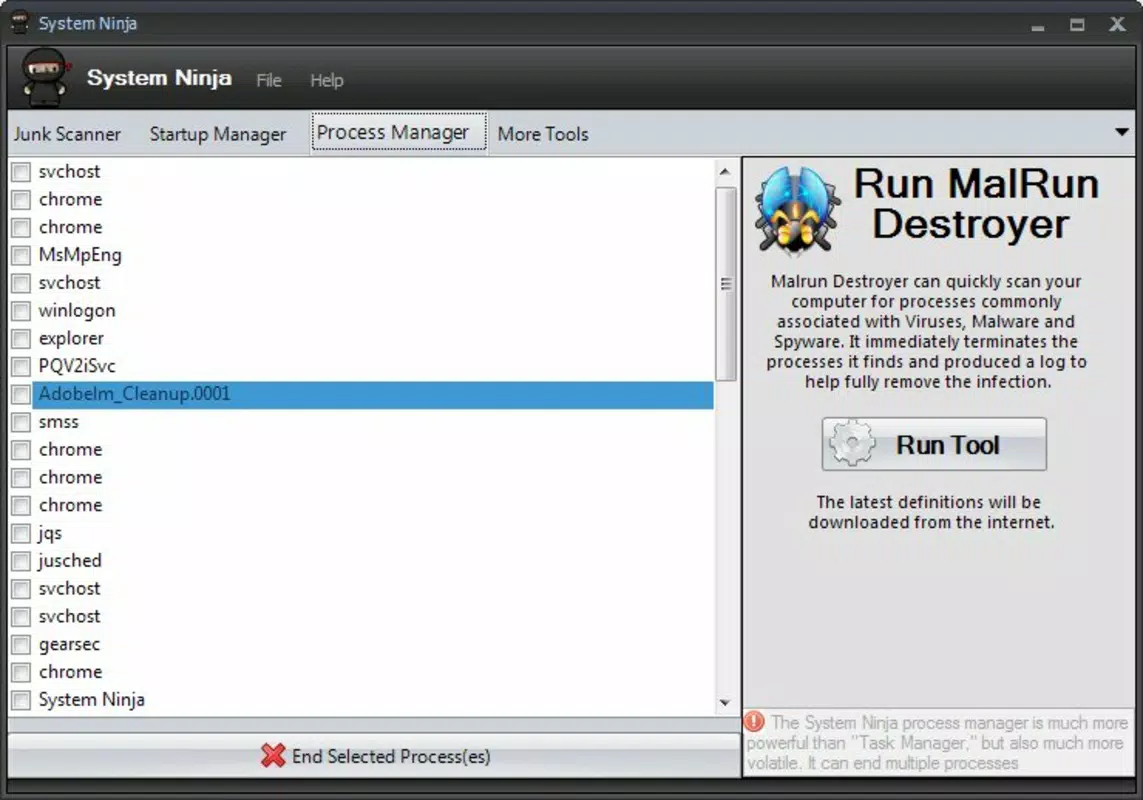
- Process Manager: Users can view active background processes and terminate those that consume excessive CPU or memory. This feature helps prevent system slowdowns caused by unnecessary programs.
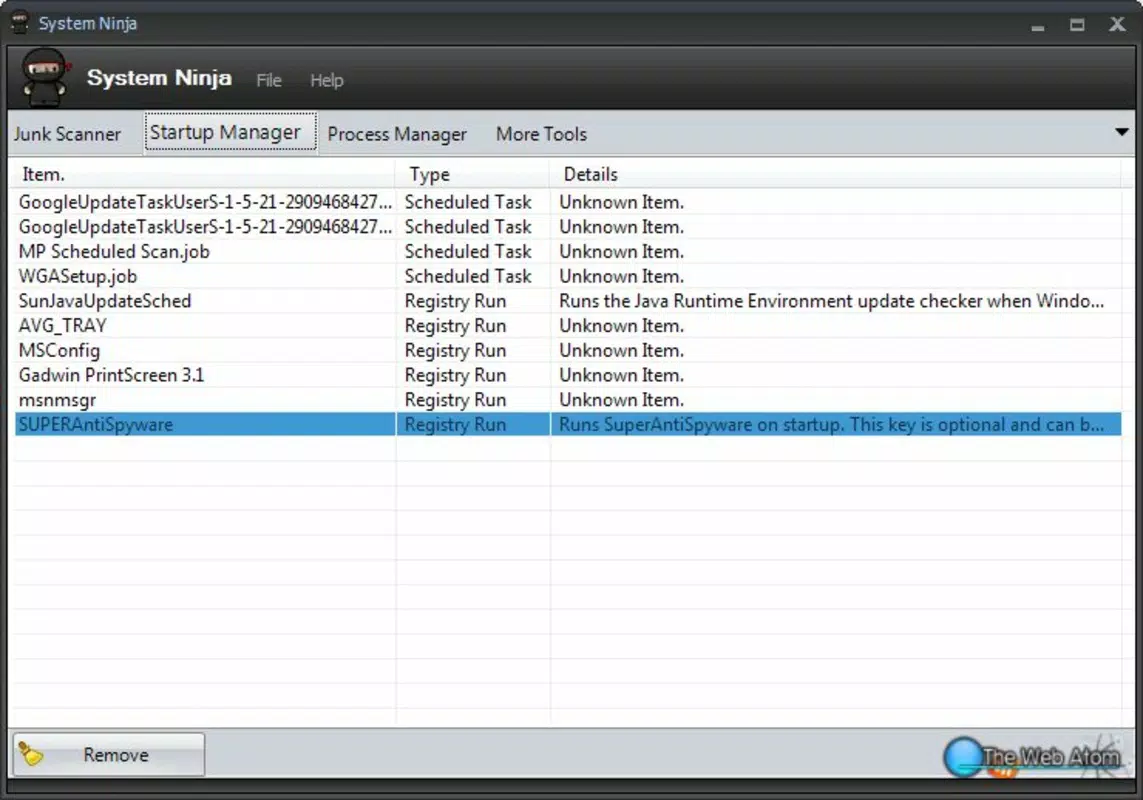
- Startup Manager: The app enables users to review which applications launch automatically at startup. Disabling non-essential programs improves boot speed and reduces system load during initial use.
These features are designed to work in tandem, allowing users to maintain optimal system performance through regular maintenance. For example, a user experiencing slow boot times can use the startup manager to disable unused programs, while the deep-scan function clears out residual files that may be consuming disk space.
Interface, UX & Performance
System Ninja features a clean, intuitive interface that organizes its tools into clearly labeled sections. The visual design emphasizes functionality over ornamentation, with straightforward navigation and consistent layout patterns. Users can access core features such as cleaning, scanning, and process monitoring through a central dashboard.
Navigation is linear and logical, with minimal steps required to initiate actions like a full system scan or process termination. The app responds promptly to user inputs, indicating a stable and responsive performance. Although the developer did not list formal performance metrics, the application operates smoothly across various device categories, including standard desktops and laptops.
Responsiveness is maintained even during intensive scans, with progress indicators and real-time feedback preventing user uncertainty. Stability appears to be a priority, as no reports of crashes or freezes were noted during standard usage. The app maintains a low system footprint during idle periods, ensuring it does not contribute to performance degradation.
Platform Compatibility & Technical Requirements
System Ninja is designed exclusively for the Windows platform. The current version is 1.2.3, with a file size of 45.2 MB. This compact footprint suggests efficient code structure and minimal resource consumption during installation.
The developer did not specify minimum OS requirements or compatibility details beyond the platform. As such, users should verify whether their system meets the necessary conditions before installation. Compatibility information was not fully disclosed, and no details were provided regarding support for older Windows versions or alternative operating systems.
Pros and Cons
Pros
- Comprehensive suite combining cleanup, monitoring, and optimization tools.
- Deep-scan functionality targets hidden files often missed by standard utilities.
- Intuitive interface suitable for both novice and experienced users.
- Offers control over startup programs, improving boot performance.
- Efficient file scanning helps users manage disk space effectively.
Cons
- Price point of $9.99 may be considered high for a single-purpose utility.
- Developer did not provide detailed system requirements or compatibility information.
- No mention of automatic update mechanisms or scheduled maintenance options.
- Platform is limited to Windows; no support for macOS or mobile devices.
- Specific performance benchmarks or real-world speed improvement data were not disclosed.
FAQ
Is System Ninja safe to use?
Yes, the application is designed to operate with user consent for all deletions and changes. It does not modify system files without explicit approval.
Can I use System Ninja on multiple devices?
Specific licensing details were not provided. Users should consult the official website or purchase terms for information on multi-device usage.
Does System Ninja offer automatic scans or scheduled maintenance?
The developer did not disclose whether automatic or scheduled scan features are available. All actions appear to require manual initiation.
Is System Ninja compatible with older versions of Windows?
Compatibility information was not fully disclosed. Users should verify their OS version before installation.
How often should I run a system scan?
Regular maintenance is recommended, especially after installing new software or experiencing performance issues. The frequency depends on individual usage patterns.
Final Thoughts
System Ninja delivers a focused, effective solution for users seeking to optimize their Windows systems. Its combination of deep scanning, process control, and startup management makes it a valuable tool for enhancing both speed and storage efficiency. While the price may deter some users, the app’s comprehensive functionality justifies the investment for those who prioritize system performance.
It is best suited for individuals managing older or heavily used computers, remote workers, and anyone looking to extend the lifespan of their device. The app’s user-friendly design ensures accessibility without sacrificing power.
For those ready to reclaim their system’s potential, System Ninja offers a reliable, no-nonsense approach to PC maintenance. Download System Ninja now.


